
Mobile app
Your building access, in your pocket.
Duall Master · Cloud Access Control System
Duall Master turns your phone into your key. Tap to open, unlock remotely, scan a QR, and watch live door status — for residents, staff, and managers, on the same platform your site already runs.
Get the app
Download Duall Master
Scan the code with your phone to install, or tap a store badge.


What it does
Everything you need at the door — and from anywhere.
Tap to open
Hold your phone to the reader at the gate to open the door.
Open by QR
Open the door with a QR code — no card required.
Remote unlock
Open a door from anywhere, right from the app.
Live door status
See whether a door is open, closed, or locked in real time.
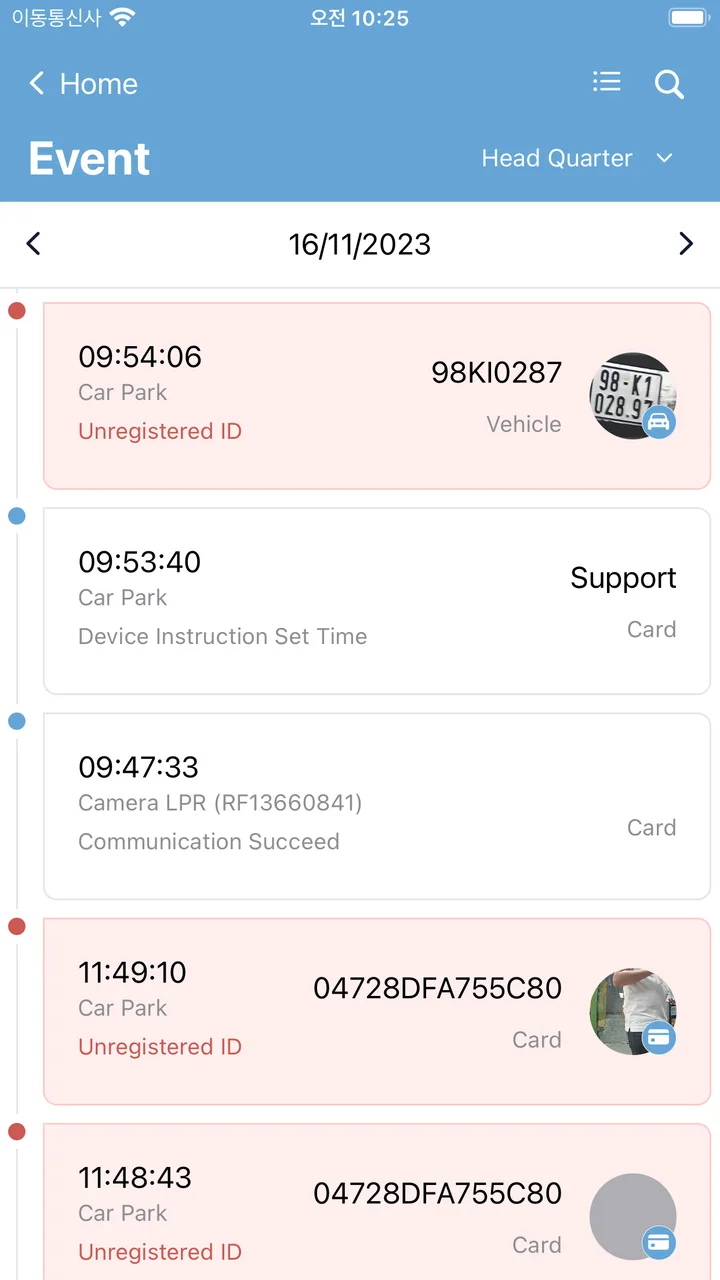
Access logs
Review who passed through which door, from anywhere.
Time & attendance
Check attendance reports straight from your phone.
Emergency control
Activate or clear an emergency / lockdown when it matters.
Favorite doors
Pin the doors you use most for one-tap access.
Mobile in the platform
The mobile app runs on the same platform as the web console.
Modules in play
- 01
Signal
Doors, visitors, cameras, intercoms, and parking generate live signals — not isolated alerts.
- 02
Context
Identity, policy, site, zone, and related module records attach to every signal.
- 03
Action
Operators approve, deny, review, or escalate inside one governed workspace.
- 04
Audit
Every decision keeps the who, what, when, and evidence — ready for review.
There is no mobile-only system — the same platform that powers the web console powers the app.
For organizations
Running Duall Master across a site or portfolio?
Duall Master Enterprise is the companion app for organization-managed deployments — same identity, permissions, and audit trail as the platform.
Shown here is the app available on the stores today. A bigger Duall Master mobile release is on the way.
Next step
See the mobile app alongside the platform
Walk through the resident and operator workspaces on a real device, with your own deployment in mind.